

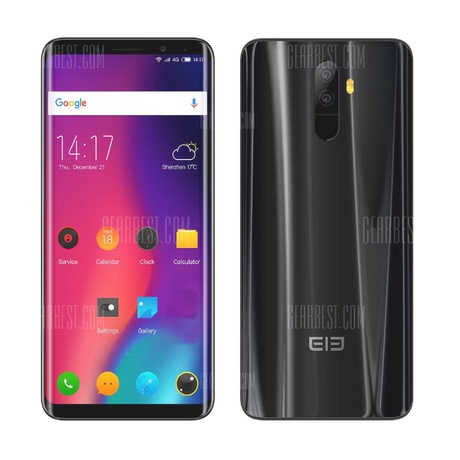

Elephone P8000 TWRP和root
DESCRIPTION
# ALL IN ONE # ELEPHONE P8000 UPDATED 06/2018
–> Stock Rom + TWRP Custom Recovery + Root
About ROM:
Stock Rom Elephone P8000 – K05TS-A.A.vR1J.E2.160412.
Custom Recovery (TeamWin Touch Recovery)
Includes SuperUserPro Zip to Root Elephone P8000
Needed:
YOUR PHONE MUST BE TURNED OFF TO FLASH WITH SpFlashTool
- Download "All Files.zip" file or separately "#All_In_One Flashable Setup#.zip" or "#Normal_Setup#.zip"
- Install MTK Drivers. (Included in Zip)
- Download SpFlashTool.
- Choose a Setup and Follow Instructions.
Instalation: ( #All_In_One Flashable Setup# )
This may not work depending on your current rom, TWRP Recovery sometimes doesn't get flashed correctly. If this happens, do #Normal_Setup# instead.
–> Extract Zip folder.
–> Open SpFlashTool
–> Go to Format Tab, click Start Button and connect your phone to the pc to format our device. Then unplug the device.
–> Click Scatter-Loading, choose Scatter file inside "Elephone p8000 Stock Rom" Folder…
–> Click Download Button
–> Finally Plug your phone in and wait until its finished.
DONE! Stock Rom + TWRP Recovery Installed …
Instalation: ( #Normal_Setup# )
Step 1 – Install Stock Rom:
–> Extract Zip folder.
–> Open SpFlashTool
–> Go to Format Tab, click Start Button and connect your phone to the pc to format our device. Then unplug the device.
–> Click Scatter-Loading, choose Scatter file inside "Elephone p8000 Stock Rom" Folder…
–> Click Download Button
–> Finally Plug your phone in and wait until its finished.
DONE! Stock Rom Installed …
Step 2 – Install TWRP Custom Recovery:
–> Open SpFlashTool
–> Click Scatter-Loading, choose Scatter file inside "Elephone p8000 Stock Rom" Folder…
–> Uncheck all values (preloader, lk, boot, recovery, logo, etc) and check only the recovery.img, then click over the recovery location to choose custom location and select our "recovery.img" inside "TWRP Custom Revovery" folder.
–> Click Download Button
–> Finally Plug your phone in again and wait until its finished.
DONE! TWRP Custom Recovery Installed …
How To Root Elephone P8000:
This needs to be done separately after any of the above setups.
–> First of all Dowload SuperUser.zip from here or use the one inside folder and Extract it to your SDCARD. (UPDATED: new SuperUserPro ZIP inside folder)
–> Now with your phone turned Off , Long Press VOLUME UP + POWER buttons until a menu pops up, then choose recovery (VOLUME UP to move around menu and VOLUME DOWN to choose)
–> Now that you are in TWRP Recovery , Click Install Button and search for the SuperUser Zip File (UPDATE-SuperSU-v2.65-20151226141550.zip) (SuperSU_Pro_v2.49.zip) and install it.
DONE! You are now with the Original Stock Rom + Custom Recovery and Fully Rooted! Easy!
※Please make a backup of your device before installing or updating ROM
Donate with PayPal to preto89 |
DESCRIPTION
# ALL IN ONE # ELEPHONE P8000 UPDATED 06/2018
–> Stock Rom + TWRP Custom Recovery + Root
About ROM:
Stock Rom Elephone P8000 – K05TS-A.A.vR1J.E2.160412.
Custom Recovery (TeamWin Touch Recovery)
Includes SuperUserPro Zip to Root Elephone P8000
Needed:
YOUR PHONE MUST BE TURNED OFF TO FLASH WITH SpFlashTool
- Download "All Files.zip" file or separately "#All_In_One Flashable Setup#.zip" or "#Normal_Setup#.zip"
- Install MTK Drivers. (Included in Zip)
- Download SpFlashTool.
- Choose a Setup and Follow Instructions.
Instalation: ( #All_In_One Flashable Setup# )
This may not work depending on your current rom, TWRP Recovery sometimes doesn't get flashed correctly. If this happens, do #Normal_Setup# instead.
–> Extract Zip folder.
–> Open SpFlashTool
–> Go to Format Tab, click Start Button and connect your phone to the pc to format our device. Then unplug the device.
–> Click Scatter-Loading, choose Scatter file inside "Elephone p8000 Stock Rom" Folder…
–> Click Download Button
–> Finally Plug your phone in and wait until its finished.
DONE! Stock Rom + TWRP Recovery Installed …
Instalation: ( #Normal_Setup# )
Step 1 – Install Stock Rom:
–> Extract Zip folder.
–> Open SpFlashTool
–> Go to Format Tab, click Start Button and connect your phone to the pc to format our device. Then unplug the device.
–> Click Scatter-Loading, choose Scatter file inside "Elephone p8000 Stock Rom" Folder…
–> Click Download Button
–> Finally Plug your phone in and wait until its finished.
DONE! Stock Rom Installed …
Step 2 – Install TWRP Custom Recovery:
–> Open SpFlashTool
–> Click Scatter-Loading, choose Scatter file inside "Elephone p8000 Stock Rom" Folder…
–> Uncheck all values (preloader, lk, boot, recovery, logo, etc) and check only the recovery.img, then click over the recovery location to choose custom location and select our "recovery.img" inside "TWRP Custom Revovery" folder.
–> Click Download Button
–> Finally Plug your phone in again and wait until its finished.
DONE! TWRP Custom Recovery Installed …
How To Root Elephone P8000:
This needs to be done separately after any of the above setups.
–> First of all Dowload SuperUser.zip from here or use the one inside folder and Extract it to your SDCARD. (UPDATED: new SuperUserPro ZIP inside folder)
–> Now with your phone turned Off , Long Press VOLUME UP + POWER buttons until a menu pops up, then choose recovery (VOLUME UP to move around menu and VOLUME DOWN to choose)
–> Now that you are in TWRP Recovery , Click Install Button and search for the SuperUser Zip File (UPDATE-SuperSU-v2.65-20151226141550.zip) (SuperSU_Pro_v2.49.zip) and install it.
DONE! You are now with the Original Stock Rom + Custom Recovery and Fully Rooted! Easy!
※Please make a backup of your device before installing or updating ROM
Donate with PayPal to preto89 |